Nudge Ticketing
Helping local events
sell out
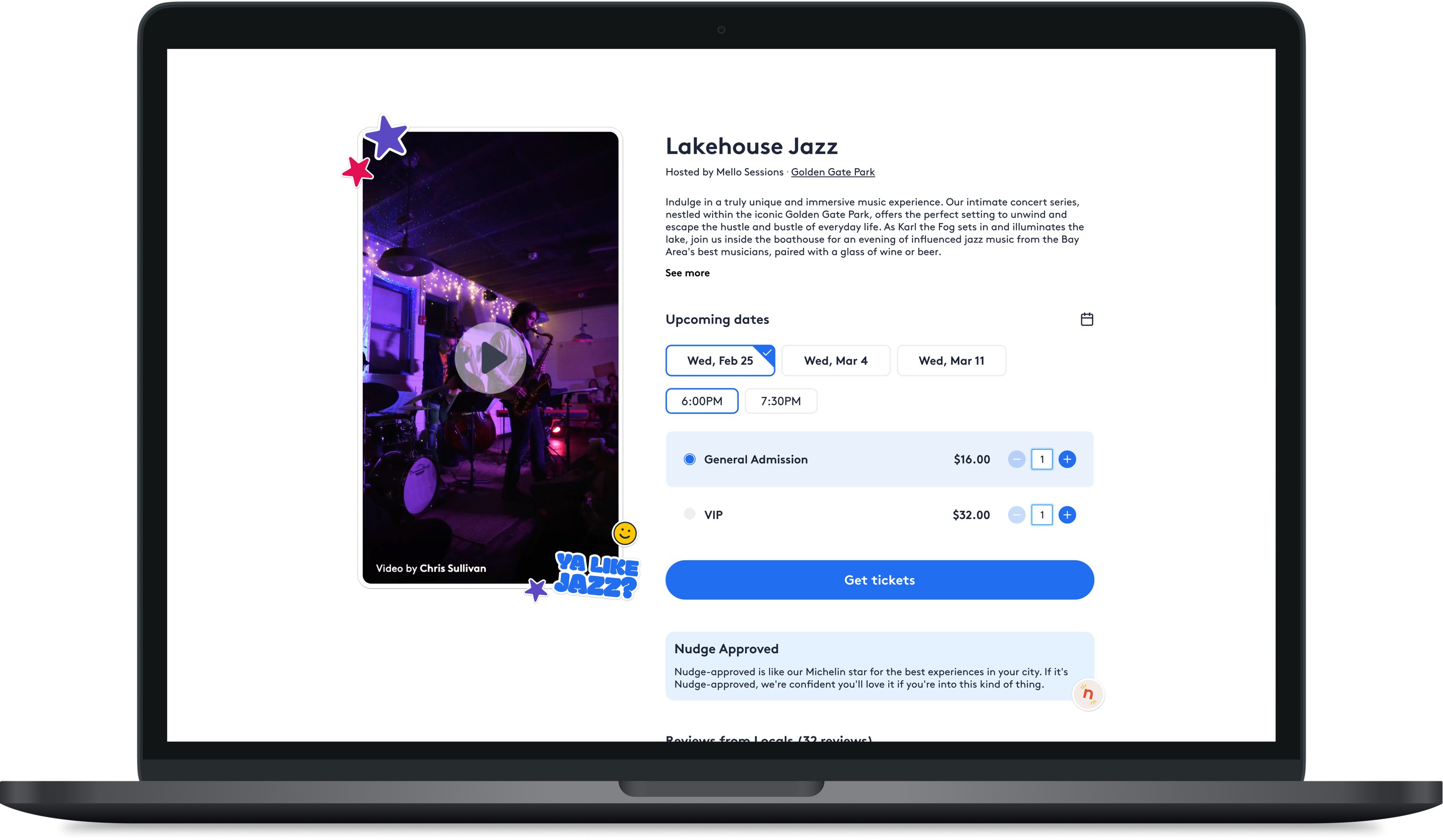
Small local events struggle to sell tickets.
The best local events are usually run by the talent: comedians, magicians, chefs, hosts. They know how to put on a great show, but they aren't marketers. They don't know what a customer needs to see before buying.
Their ticketing pages are often difficult to navigate and aren't built for conversion.
In interviews I hosted with event planners, we learned that most local ticketing pages stop at the basics, such as a price, the dates, and a description the host wrote themselves. A big reason they love working with The Nudge is because we know how to pitch an event to an active audience and generate the kind of interest that fills seats.
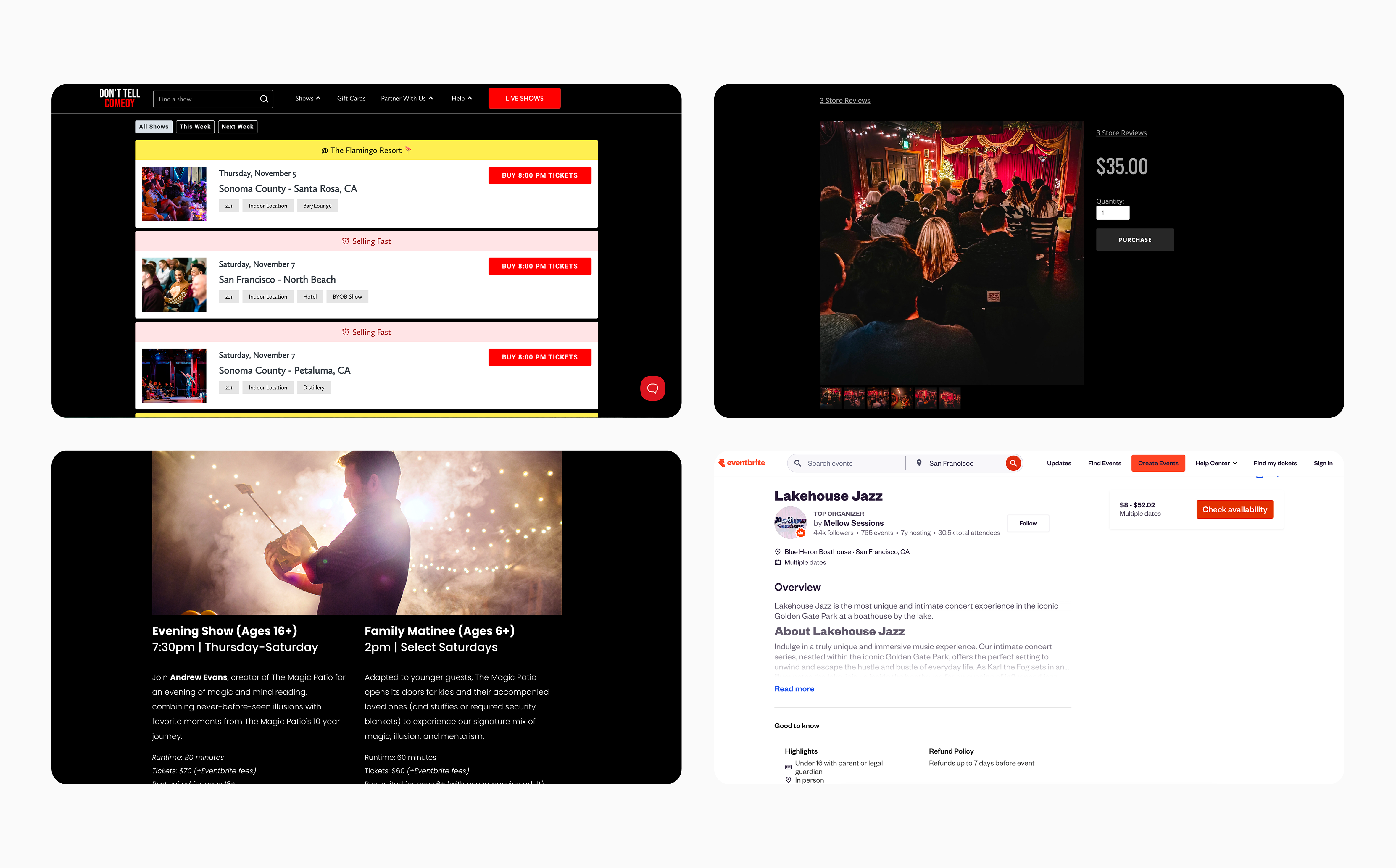
Our ability to sell tickets rested on three strategies.
Based on what we know about our audience and how events sell, we were confident that a ticketing page built to convert needs to do three things:
- Make it easy to find the best ticket. Most local events have one page per event, with no easy way to browse. Customers should be able to see every date, time, and ticket type on the same page.
- Build trust. Most event pages give no signal that an event is worth going to. We wanted to show proof from the community and from us.
- Sell the experience. Lead with high-quality media and a trustworthy brand.
We needed to build a page flexible enough to handle any kind of ticket.
No two events had the same ticket inventory. We needed a page that could handle everything from early bird pricing, the same event at different price points, several events on one day, weekly recurring shows, one-off special events, etc.
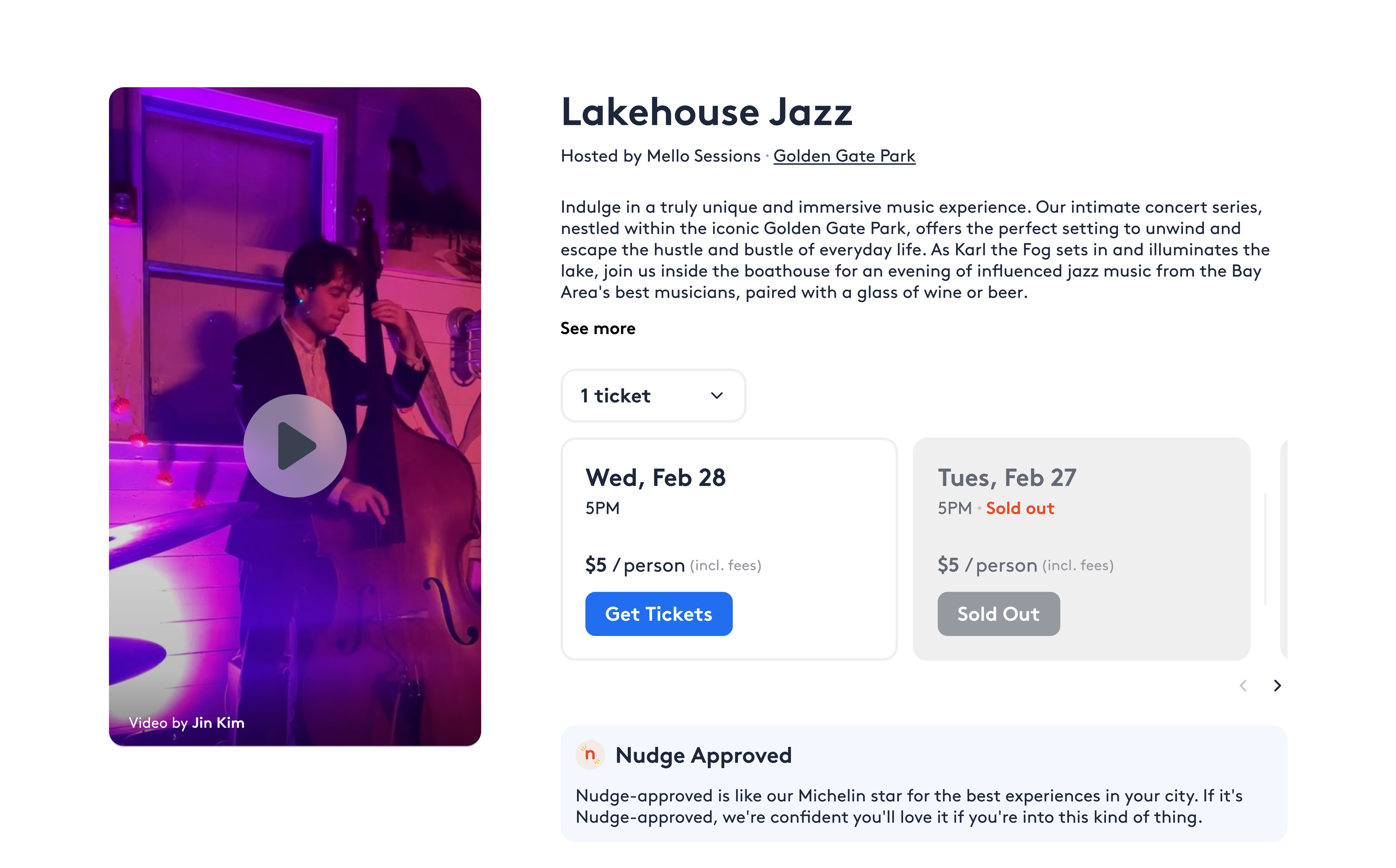
Our MVP carousel worked for one event but wasn’t flexible enough to scale.
We worked with one of our top selling events to build a simple carousel that showed every ticket at once for customers to scroll through. But as we rolled the page out to more hosts, we saw many more ticket types, and the MVP started to show its limits: customers couldn’t quickly find a specific date, time, or ticket type, and the carousels became long, crowded, and hard to maintain.
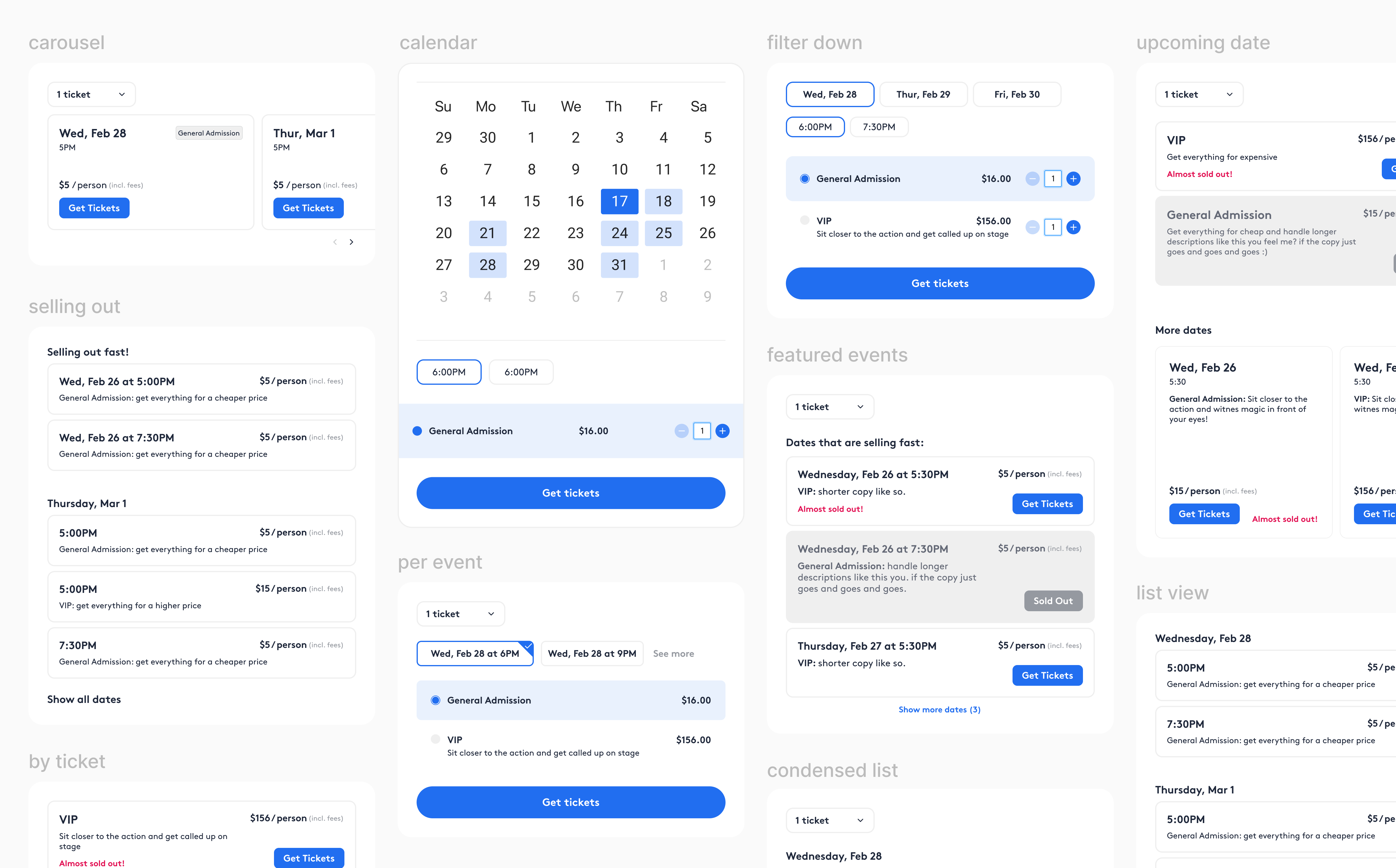
A flow that narrows the search to the right ticket and skips any steps an event doesn't need.
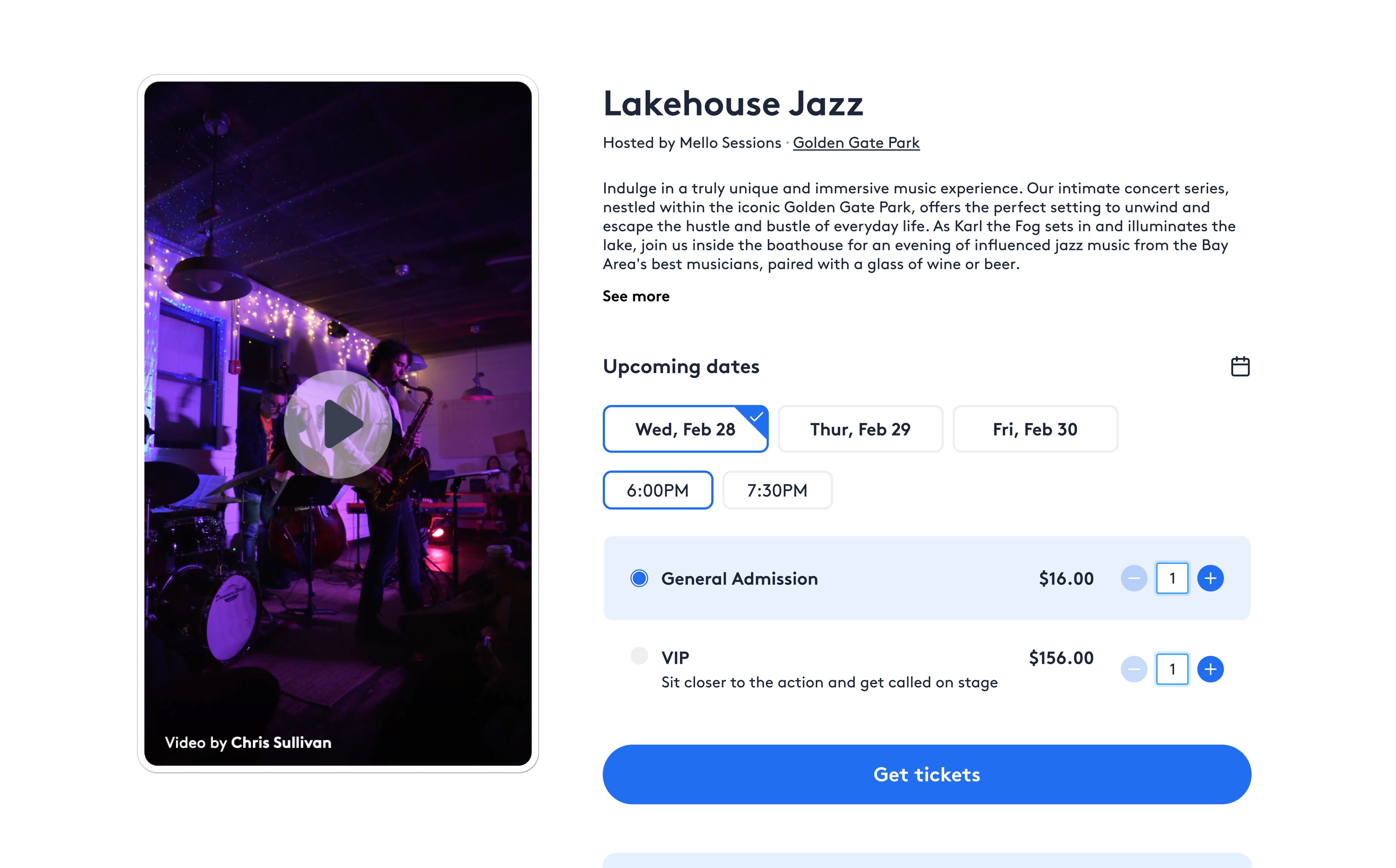
I explored different ways to filter tickets that would work for simple events with one ticket type and for events with many. We landed on a flow that narrows the search one step at a time:
- Date first. We knew that the date was the most important decision for a customer.
- Then time. If an event has more than one time on that date, the times appear underneath to choose from.
- Then ticket type and quantity. Once a time is selected, we show every ticket type and let customers choose how many of each to buy.
The flow also flexes to the host. If an event has only one date, one time, or one ticket type, those steps disappear, so a simple event shows its single ticket right away. Customers only navigate as much as the event requires.
We designed for every edge case.
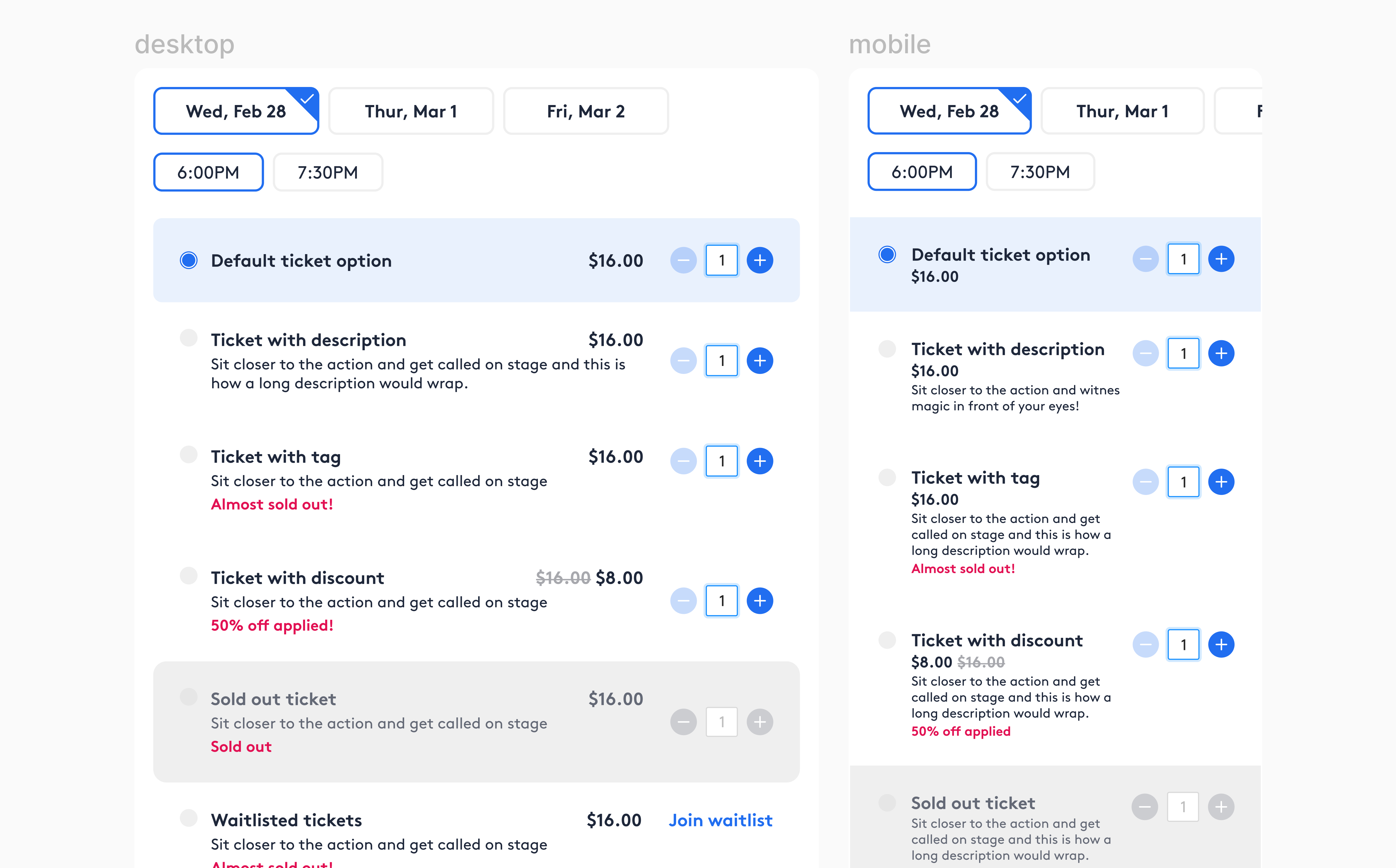
Real events don't always have tickets available. We designed clear states for sold out, sales ended, and upcoming tickets that haven't been released yet, so customers always know where an event stands.
In interviews with customers we also learned that they don't always understand what certain ticket titles meant. These findings shaped how we label tickets and show pricing. We made ticket types easy to understand by allowing hosts to add a description to tickets or explain pricing tiers.
We needed to build trust for events customers had never heard of.
A typical local event page gives potential customers a price, date, and the host’s own description. But customers need proof an event is worth it, and in interviews, hosts told us getting reviews was one of their biggest challenges.
The page highlights proof from locals and our stamp of approval.
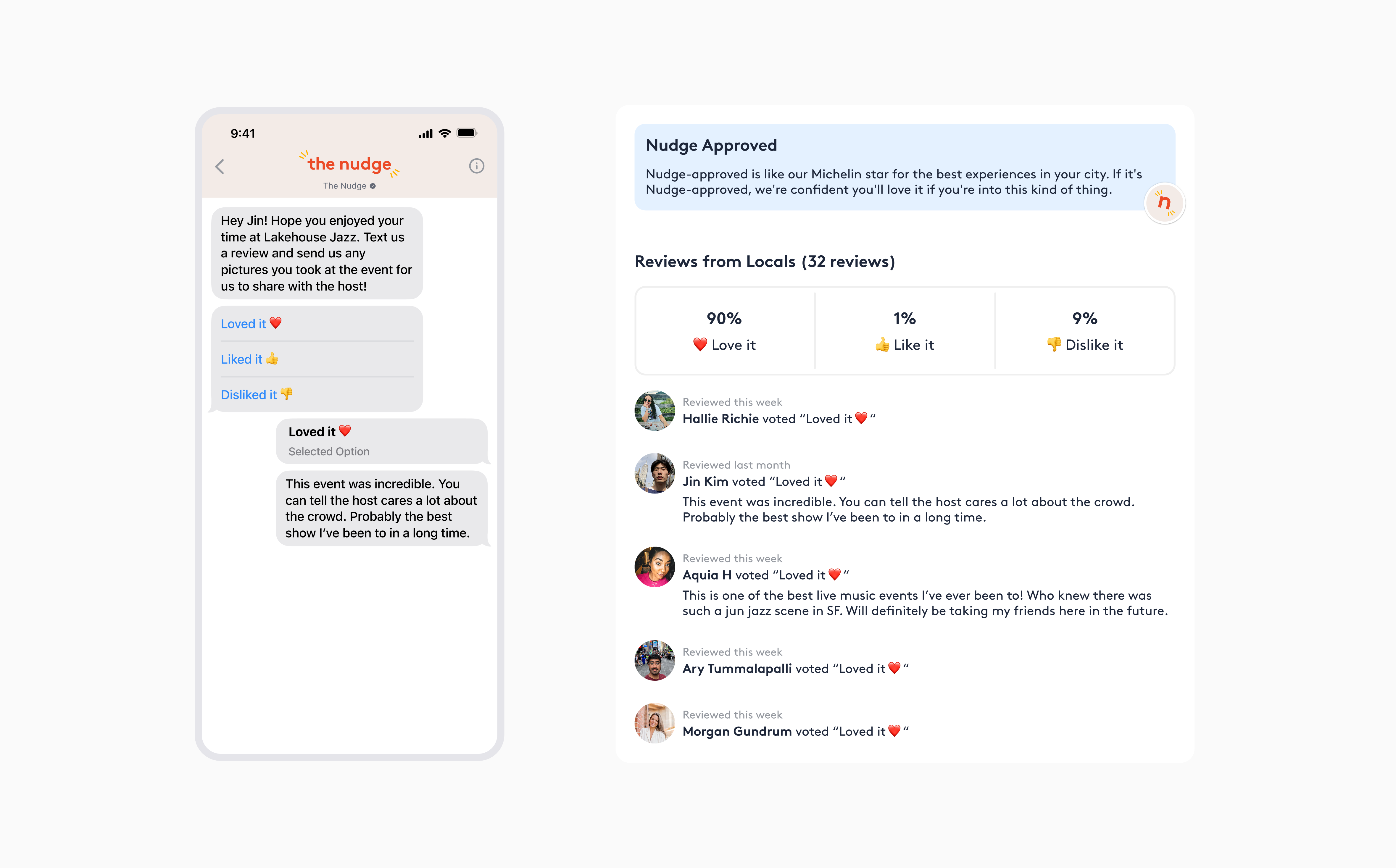
We built the Nudge-approved experience page around two things:
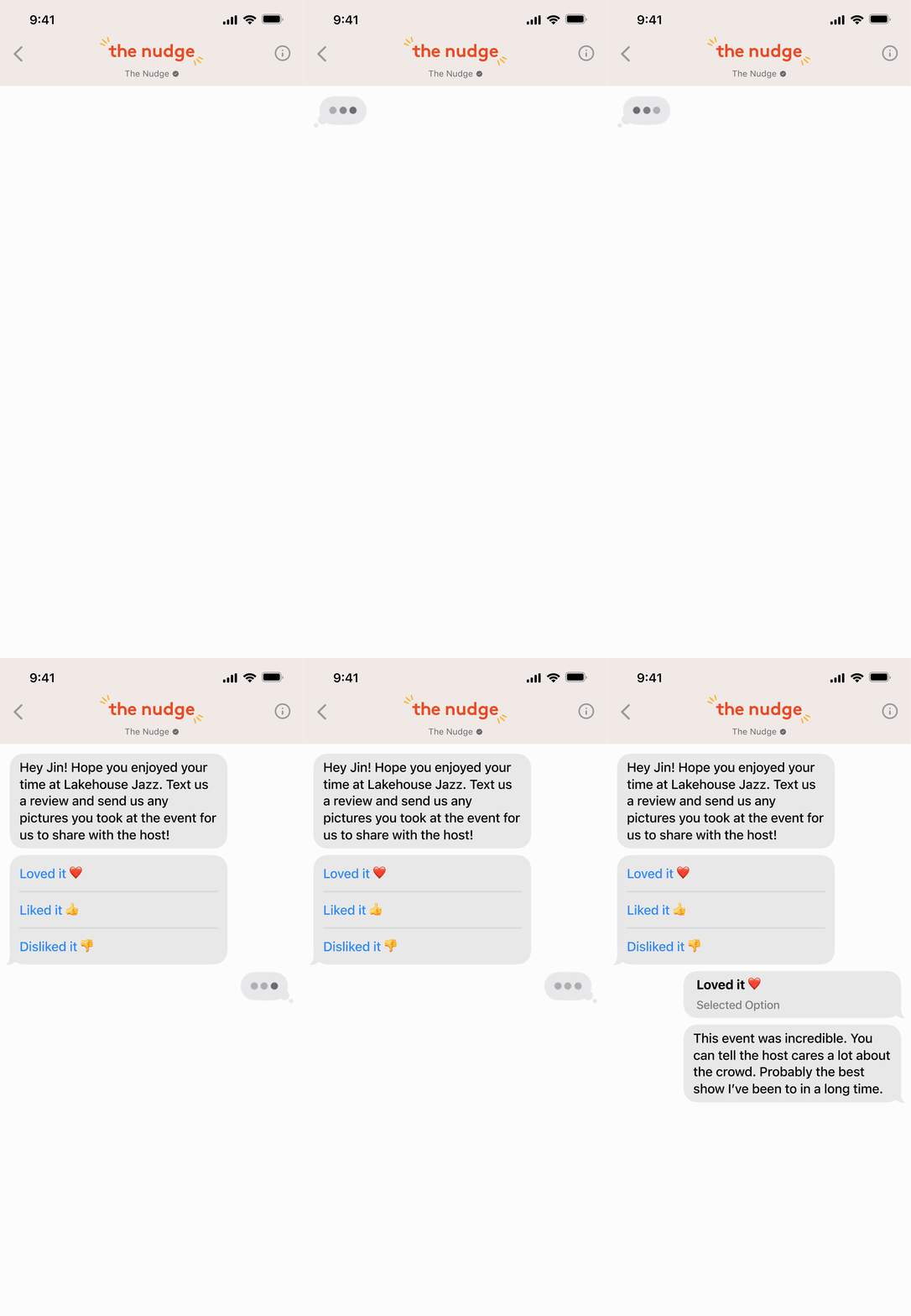
- Ratings from locals who attended. A prominent feed of reviews that feels authentic and helpful. Since hosts struggled to get reviews, we also developed a flywheel that automatically requests reviews and images from attendees via text after an event ends. This led to 20x more attendee event reviews than competitor platforms.
- Nudge-approved branding. A formal distinction with a short explanation from our team of why the event earned it.
We led with high-quality media and a branded look, so customers see the experience before reading about it.
The page sells the experience in two ways:
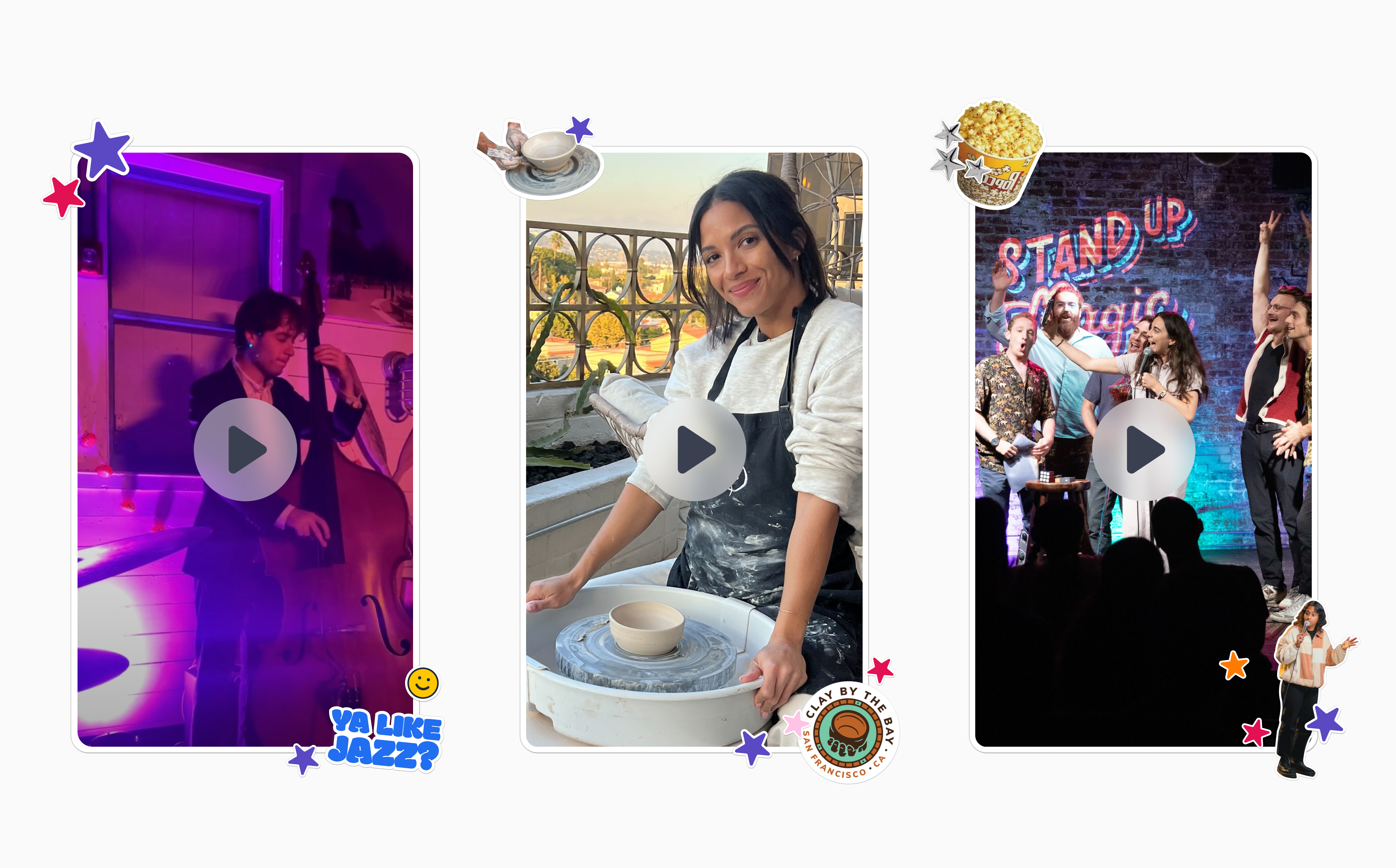
- Video comes first. It's the first thing customers see, and A/B testing showed that event pages with video sell more tickets.
- Top events and hosts get their own look. We helped create visuals and branded stickers for them.
Solution
A ticketing experience flexible enough for any event, and trustworthy enough to sell it out
Automated event follow ups that guarantee authentic reviews
Results
Our ticketing experience helped local events sell out and earn customers' trust
Reflection
The biggest design challenge was creating a ticketing system flexible enough for every kind of event. Each event had different ticket types, so it was hard to anticipate all of the edge cases and states while keeping the system flexible. I was surprised by how difficult it was to get this scalable without losing speed. Going back, I probably wouldn't start with the carousel. It was quick, but we knew it wasn't flexible, so it was a great learning about those tradeoffs.
I had a lot of fun experimenting with media on the ticketing pages. We usually had a high-quality video of the event, but when we didn't, like for a first-time event, we got to be creative and try new A/B tests, such as interviewing the host and using that as the video. Those also did really well and gave hosts a way to showcase themselves and their business.
Besides selling out events, reviews were probably our biggest impact. Our event hosts were really happy with them which was a really exciting win, and something that felt uniquely The Nudge.
Team
- Mars HovasseProduct Designer
- Sarah PetersonCOO
- John PetersonCEO
- Chris SullivanSenior Engineer
- Hallie RichieContent Director